Discover
Social
Distribution Channel
Touchpoint
Concur Flight Search
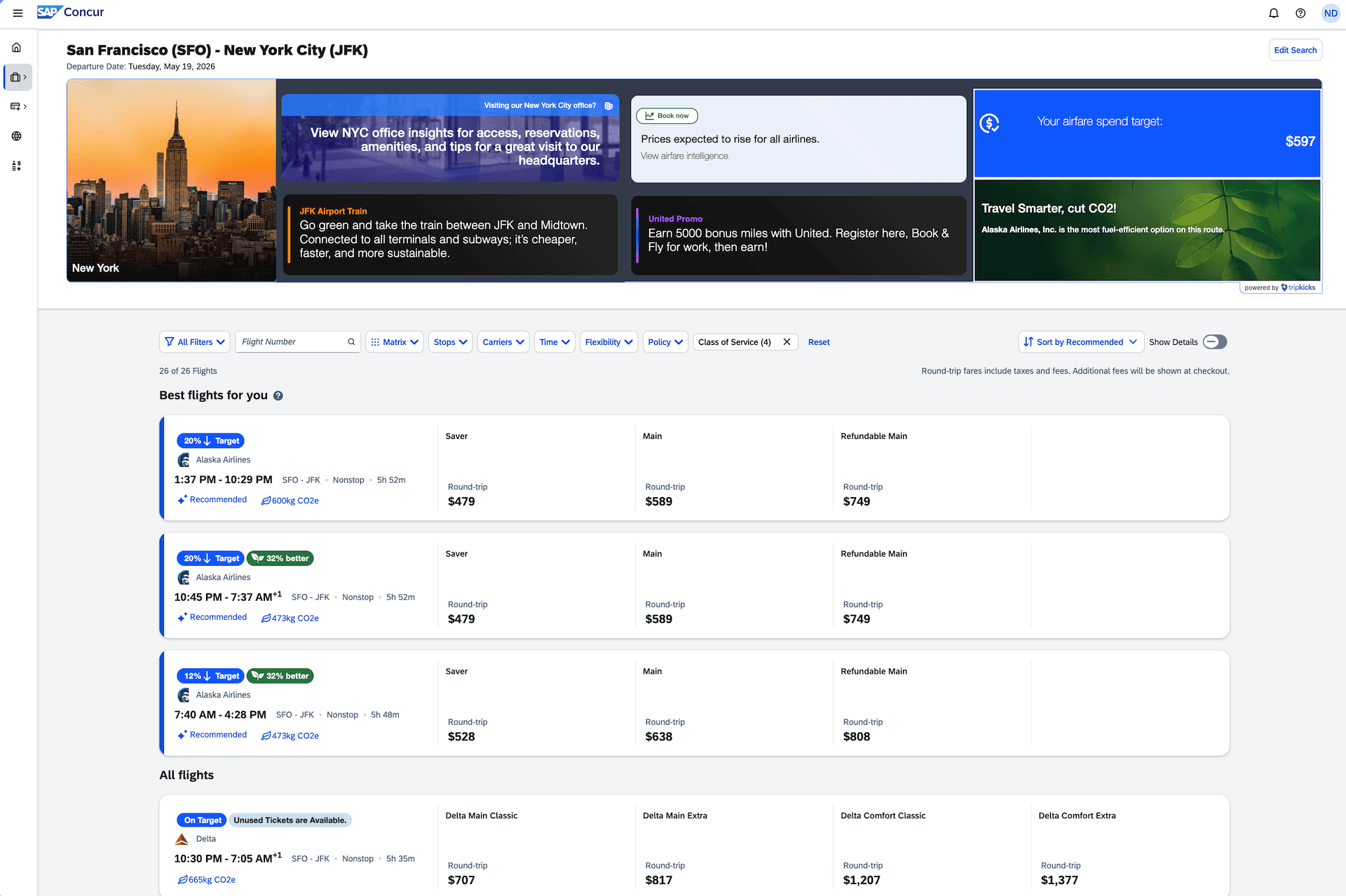
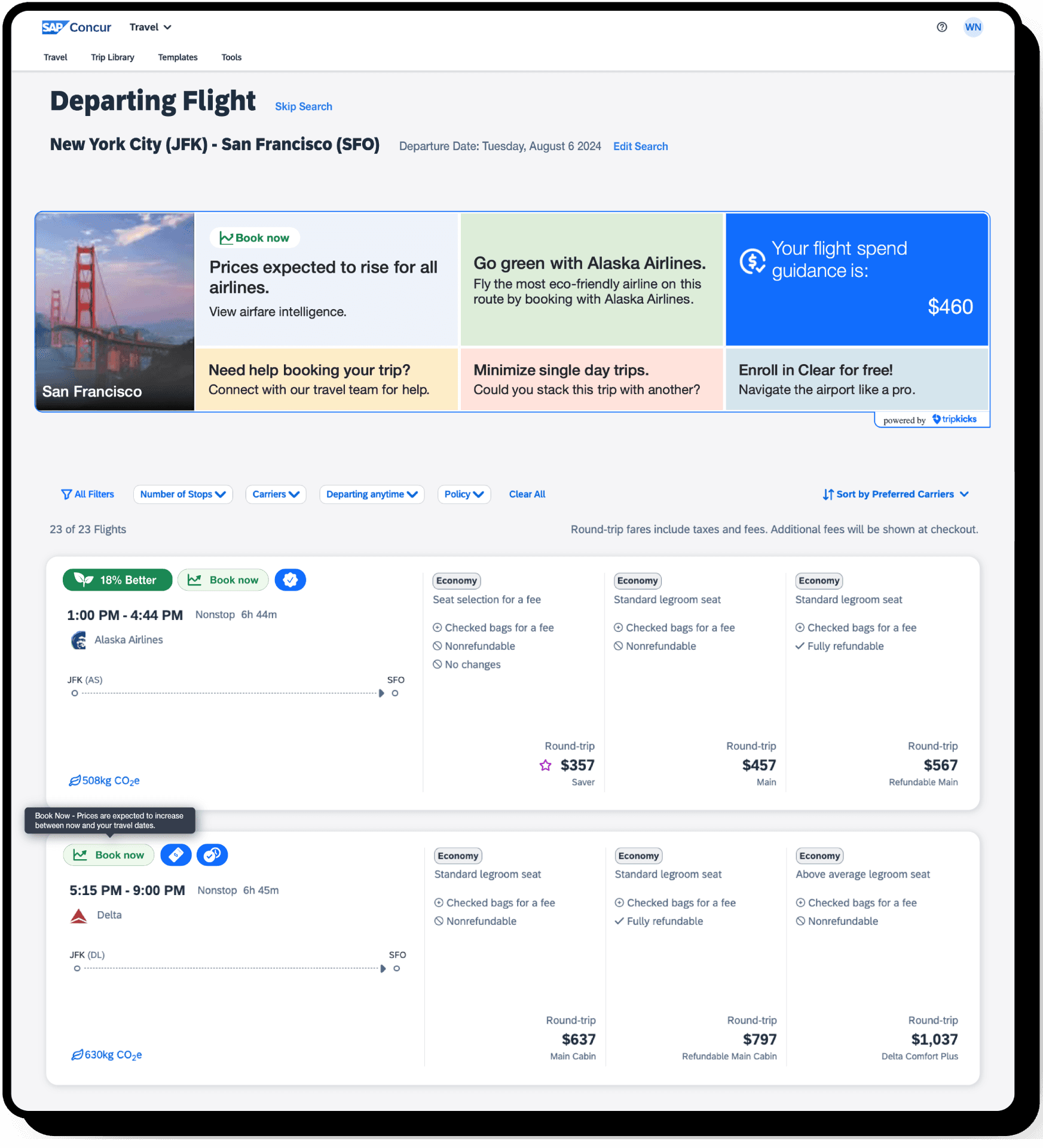
Point-of-decision guidance during air booking -- surfaces carrier attributes, rail alternatives, flexible date savings, and airfare intelligence.

Tripkicks Platform
Product Reference
Touchpoint
Category
Distribution Channel
Part of Trip Availability
Booking
Product details
The Flight Search touchpoint activates when a traveler searches for flights in Concur. This is a critical decision point where Catalyst delivers real-time guidance to influence carrier selection, routing, and timing. Tiles and modals present supplier attributes (preferred carriers, contract rates), airfare trend intelligence (is this a good time to book?), rail redirection for short-haul routes, flexible date alternatives showing potential savings, and carbon footprint comparisons between options. The Smart Prioritization Engine determines which messages appear based on the traveler's behavioral and situational scores.
How It Works
The Flight Search touchpoint activates the moment a traveler initiates an air search in Concur. This is a high-stakes decision point — carrier selection, routing, and timing directly impact cost, sustainability, and traveler satisfaction.
When the search fires, Catalyst evaluates the route, dates, and traveler profile in real time. The engine checks: Does this route have a rail alternative? Are airfares trending up or down for this corridor? Is this traveler a frequent non-preferred carrier booker? Are there flexible date options that could save meaningful money?
Based on these signals, the Smart Prioritization Engine selects the most impactful messages to display. A traveler searching London to Paris might see a rail redirection tile ("Eurostar gets you there in 2h15m at 1/10th the carbon"). A frequent Delta booker searching an American-preferred route might see a supplier attribute highlight. Someone booking 3 weeks out on a volatile route might see airfare intelligence ("Prices for this route typically drop 15% if you can wait until next Tuesday").
The flight search also supports inline content — carrier-specific icons and notes that appear directly in the search results alongside each option, making the guidance contextual rather than interruptive.
In action


Product examples
No items
No items