Discover
Social
Connection
Core Connection
Custom Banner Insights
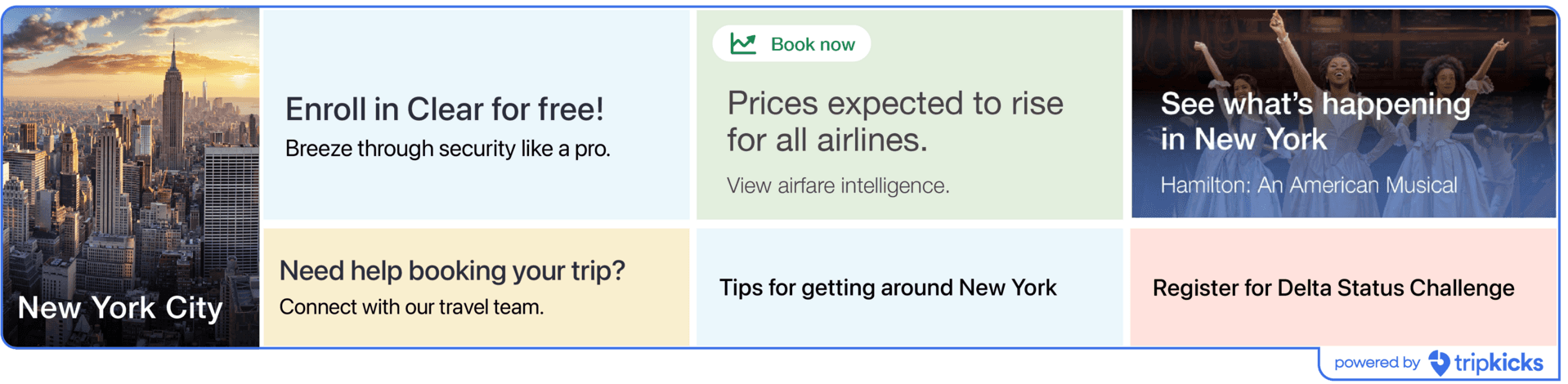
Fully customizable tile and modal content that clients use to communicate program-specific messaging, promotions, announcements, and guidance to travelers.

Tripkicks Platform
Product Reference
Core Connection
Category
Connection
Part of Trip Availability
Booking, Anytime
Product details
The primary delivery mechanism for client-specific content within Catalyst. Custom Banner Insights are tile + modal pairs that can be configured to display any messaging the client needs: program announcements, supplier promotions, policy reminders, seasonal guidance, or targeted communications. Content is built in HTML, styled to the client's brand, and delivered through the Catalyst touchpoint system. These are the building blocks that travel managers use to communicate with travelers at scale without sending mass emails.
How It Works
Custom Banner Insights are the building blocks of Catalyst's content delivery system. Each insight is a tile + modal pair: the tile is the compact visual that appears in the Concur interface, and the modal is the expanded content that opens when a traveler clicks.
Content is built in HTML, styled to the client's brand colors and design guidelines. Travel managers work with Tripkicks to create insights for any messaging need — program announcements, supplier promotions, policy reminders, seasonal travel guidance, sustainability goals, or targeted communications to specific traveler segments.
Insights can be configured for any touchpoint (home page, flight search, hotel search, expense) and targeted by traveler segment, destination, date range, or booking behavior. The Custom Insights system in the Tripkicks admin portal manages the full lifecycle: creation, targeting, scheduling, and performance tracking.
This is the mechanism that makes Catalyst endlessly configurable. While the Behavioral Playbook handles automated, score-driven messaging, Custom Banner Insights let travel managers add their own voice to the system whenever they need to communicate something specific.
In action


Product examples
No items
No items